Head banner

How to shop online at Tesco: Groceries and more
Shop groceries and more online and choose a delivery time that suits you. With Tesco Online Shopping, you can complete your entire shop comfortably from home. On this page, you’ll find a clear step-by-step guide on how online shopping works.

Tesco Online Shopping with Home Delivery
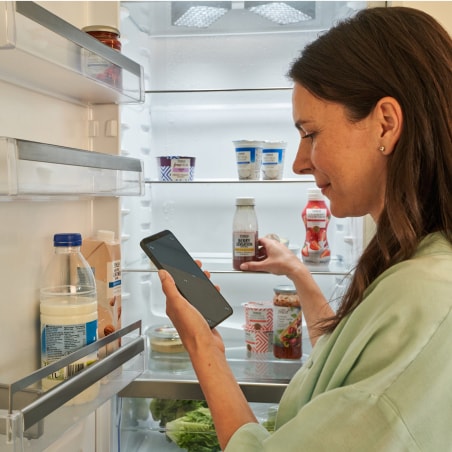
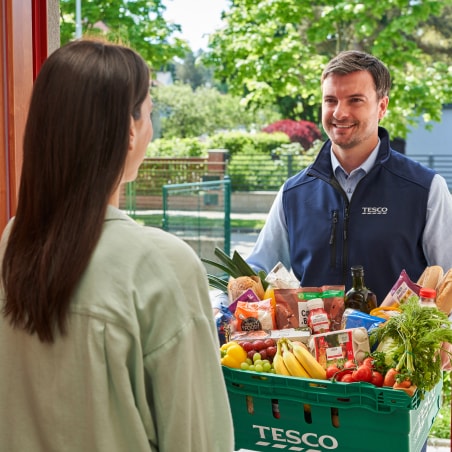
Tesco Online Shopping lets you choose from a wide range of groceries and other products, enjoy great prices, and schedule convenient home delivery straight to your door.
  • Running low on groceries?

    Running low on groceries?

    Shop easily from home.

    Shop online
  • Find the best deals at Tesco

    Find the best deals at Tesco

    Special offers all in one place.

    See offer
  • Shop this week’s top deals

    Shop this week’s top deals

    Delivery to you in just a few clicks.

    Discover TOP Deals
  • Get delivery with no fee

    Get delivery with no fee

    Join Tesco Online Club now.

    Learn more

How Tesco Online Shopping works

Online shopping at Tesco is easy and can be completed with just a few simple steps.

Step 1: Register or sign in with your existing Clubcard account

To shop for groceries online, register or sign in to your account. Once logged in, you can continue by selecting your delivery option and choosing your products.

Step 2: Book a convenient delivery slot

To see the most accurate availability and offers, book a slot first. Then choose the delivery option that suits you best.
  • Home delivery

    Home delivery

    Make your purchase online from the comfort of your home and choose the time of delivery that suits you. We'll prepare it and deliver it to your home.

    Shop online
  • Click + Collect

    Click + Collect

    You make a purchase online, we will prepare it for you and you will come to pick it up on the way home. We will load the entire purchase into your trunk, so you don't even have to get out of the car.

    See more
You can book a slot up to 3 weeks in advance or even get same-day delivery*.
*Available in almost all delivery areas.

Step 3: Add products to your basket and shop online
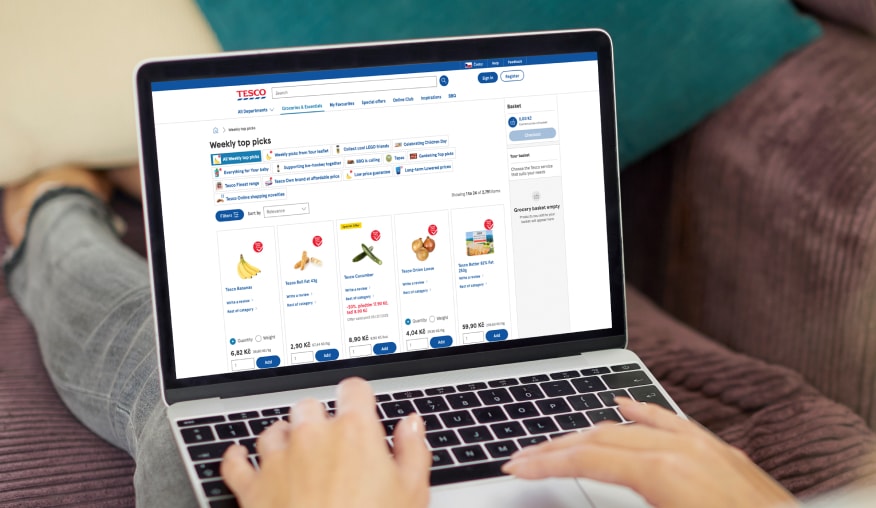
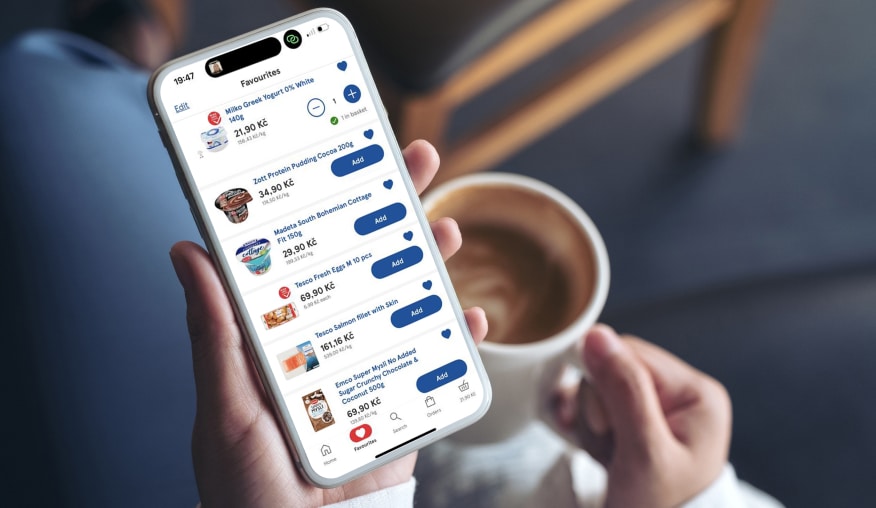
Browse a wide range of groceries and other products by category in the left-hand menu, or search for specific items by name. Add everything to your basket and adjust quantities at any time as needed.

Step 4: Use your savings and check out

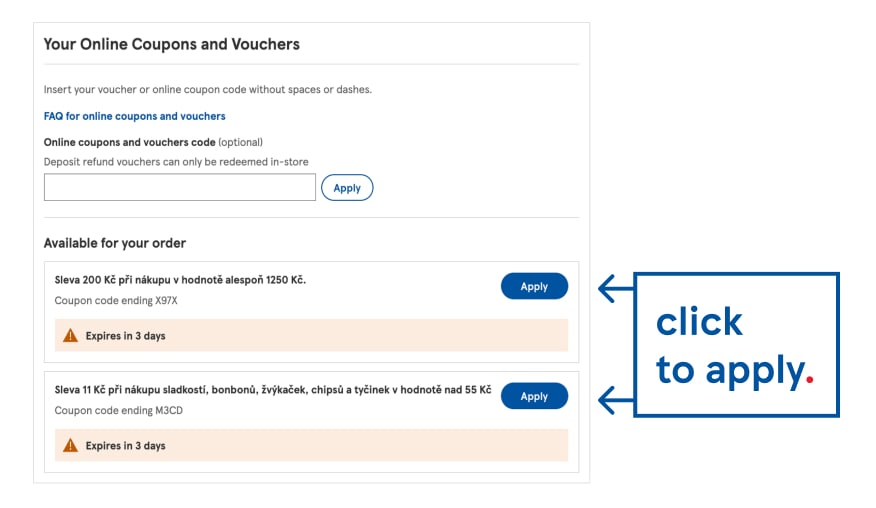
Check your basket, apply available Clubcard coupons and vouchers, and confirm your order. Your online grocery shop will then be prepared for delivery at the time you’ve chosen.

How to shop Clubcard coupons online?

How to use Clubcard vouchers online?
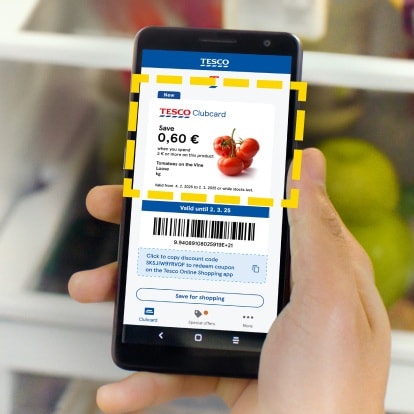
  • 1. Open your Clubcard app

    1. Open your Clubcard app

    Select your preferred coupon or voucher.
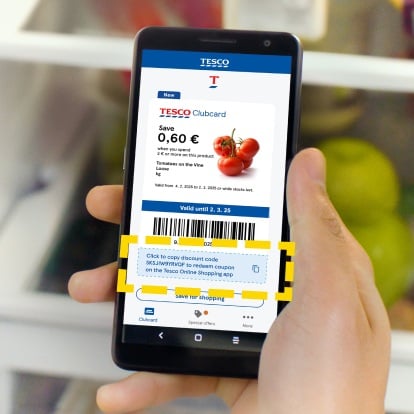
  • 2. Find the copyable part of the coupon

    2. Find the copyable part of the coupon

    Copy the code beneath the barcode.
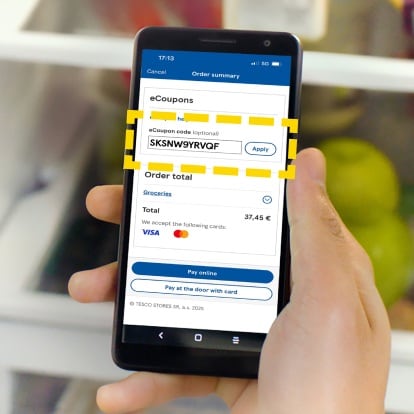
  • 3. Continue via Online Shopping

    3. Continue via Online Shopping

    While paying paste the coupon or voucher code.
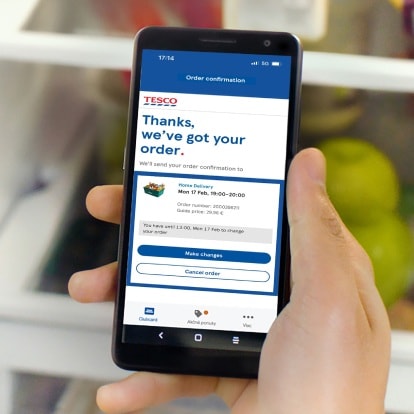
  • 4. Complete your online order

    4. Complete your online order

    Confirm the order and have your order delivered or pick it up yourself.

Practical Features in Tesco Online Shopping

During online grocery shopping at Tesco, you can set several options that affect both product selection and delivery preferences. These features help ensure your online shop is tailored exactly to your needs.
  • Substitution options – choose a replacement if a product is unavailable

    Substitution options – choose a replacement if a product is unavailable

    If an item is unavailable, we’ll choose a suitable substitute. You can accept or decline it at delivery with no charge if declined.
  • Same-day delivery of your online shopping to your door step

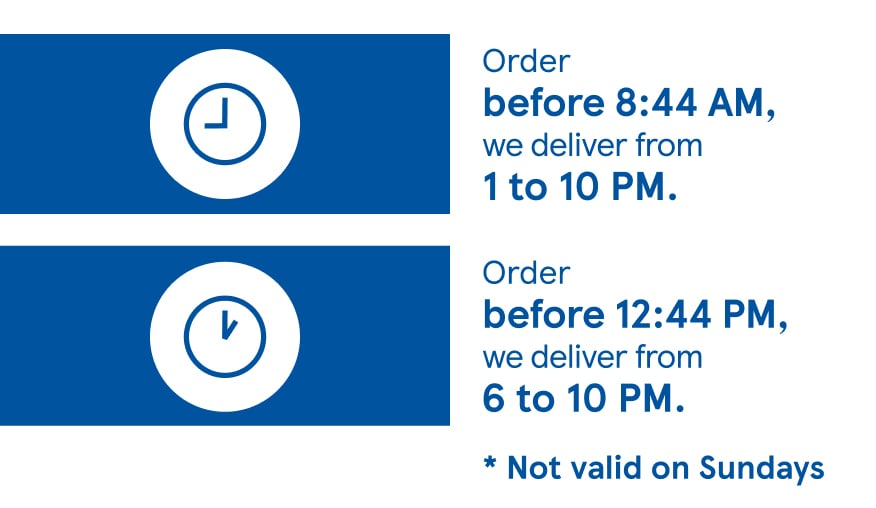
    Same-day delivery of your online shopping to your door step

    Order by 8:44 AM and your shopping will be delivered between 1:00 PM and 10:00 PM. Orders by 12:44 PM will be delivered between 6:00 PM and 10:00 PM.

  • What to do if something is wrong with your delivered order?

    What to do if something is wrong with your delivered order?

    When receiving your order, you may notice an issue – such as damaged packaging or overripe fruit. Do not accept these products, return them to the driver, and they will not be charged.
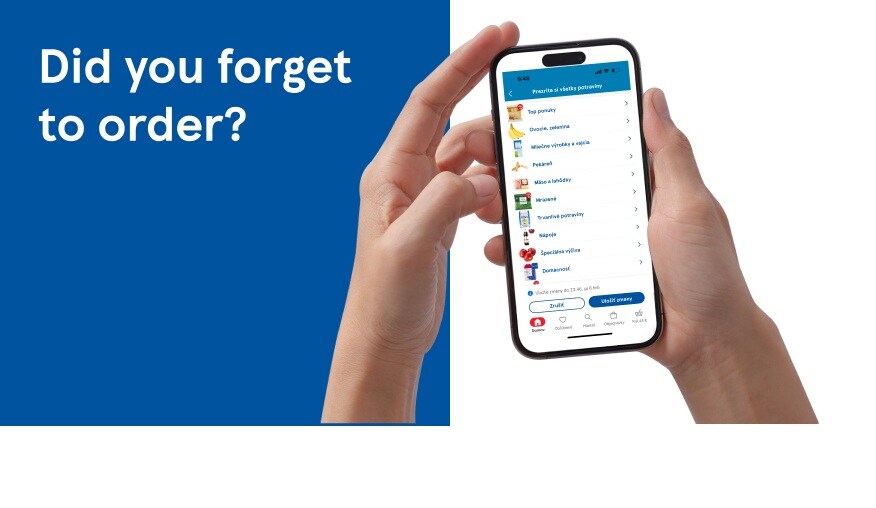
  • How can you edit your online order at Tesco?

    How can you edit your online order at Tesco?

    Forgot to add milk or another item to your basket? You can edit your online order until 11:46 PM on the day before delivery or collection.

  • Bag-free shopping for less waste and more flexibility

    Bag-free shopping for less waste and more flexibility

    When shopping online, you can choose the “No shopping bags” option. This helps reduce waste and saves you the fee for paper bags.

  • SMS notifications from our delivery partner DODO

    SMS notifications from our delivery partner DODO

    Once your order is loaded, you’ll receive an SMS with a tracking link from our delivery partner DODO, allowing you to track your online shopping in real time.

New features in Tesco Online Shopping
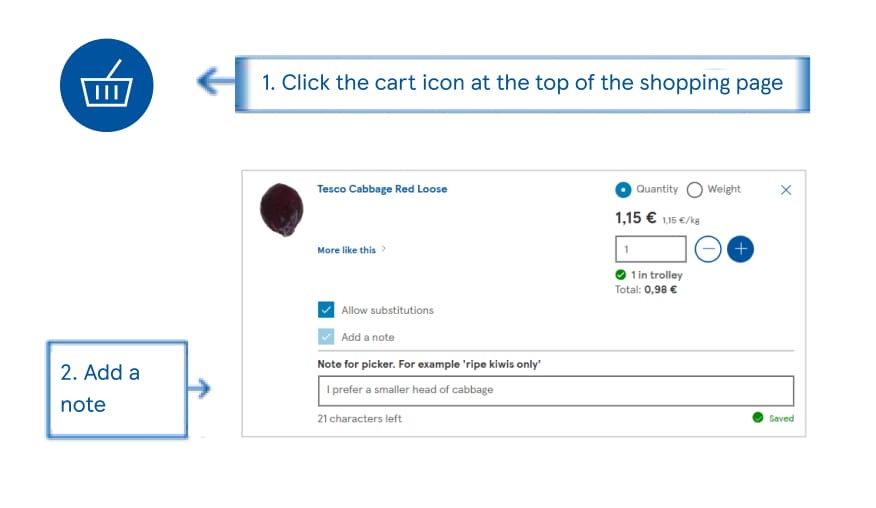
Tesco Online Shopping's new features make ordering easier and let you tailor delivery and product selection to your needs and preferences.
Product notes – add your preferences

Product notes – add your preferences

You can add notes to products, such as your preferred type, level of ripeness or a substitute in case of unavailability, helping us better meet your requirements.

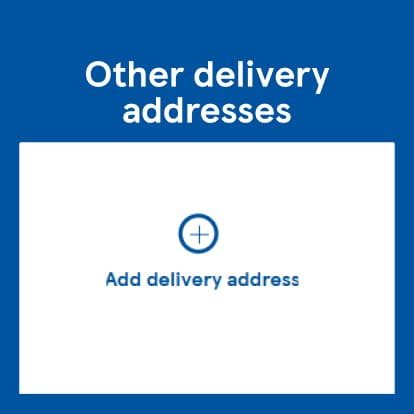
Multi-address delivery for convenient online shopping
Save multiple delivery addresses and easily choose the one you want your shopping delivered to when placing an order.
  • After signing in, click on My account.

    After signing in, click on My account.

    Manage delivery addresses on a desktop device.

    Sign in to your account
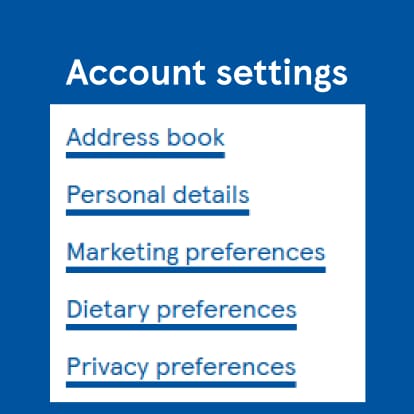
  • Go to Account settings.

    Go to Account settings.

    Click the first link called Addresses.

    Go to address book
  • Enter a new address and save it

    Enter a new address and save it

    Don’t forget to add a name, for example “Cottage”.

    Add a new address
  • Select the address when shopping online

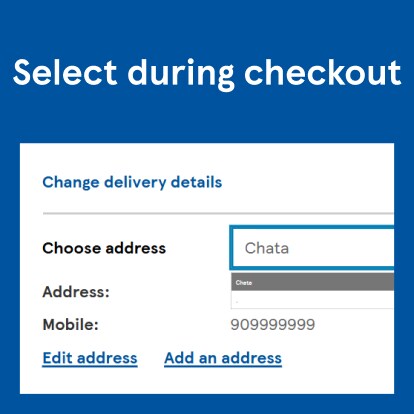
    Select the address when shopping online

    Choose the address in the first step of your order.

    Shop online

Any questions? We are here for you!

  • Clubcard prices

    Clubcard prices

    With Clubcard, you have the power to special prices and exclusive deals upon your purchases.

    Look for the best deals

  • Want to save on every shop?

    Want to save on every shop?

    Shop smarter with great prices for everyone.

    See offer
  • Check out the new arrivals

    Check out the new arrivals

    Explore our new products and try new flavors.

    Shop now
  • Wide online range

    Wide online range

    Make your purchase quickly with a few simple clicks.

    Shop now
How to shop online at Tesco: order groceries to your door quickly and easily.
Tesco Online Groceries lets you conveniently shop for groceries and other products online with delivery straight to your door or choose Click+Collect, now available even on the same day. Check where we deliver and get started by registering for online shopping. Once logged in, you can easily search for groceries, browse categories and add products to your basket. When shopping online, take advantage of Clubcard, grocery discounts and coupons to save on every order. You can update your order, add product notes or add multi-address. Choose home delivery or Click+Collect, whichever suits you best. Tesco Online Shopping is a convenient way to shop quickly and without waiting.